How to Redeem Death Ball Codes
Tutorial requirement, menu path, and fixes for invalid or missing rewards.
Redeeming Death Ball codes takes less than a minute once you know where the menu hides. Small World Games gates the Codes screen behind the tutorial, so brand-new accounts cannot claim ROYAL, ASCEND, or BIZARRE until they finish onboarding. This guide covers every platform — Desktop, Console, Mobile, and Tablet — plus the error messages that trick players into thinking a working code is expired.
Start on the Codes Hub for the full active list. If redemption fails after you follow every step below, the string may be dead — check Expired Codes before spamming retries.
Before you redeem
Finish the tutorial
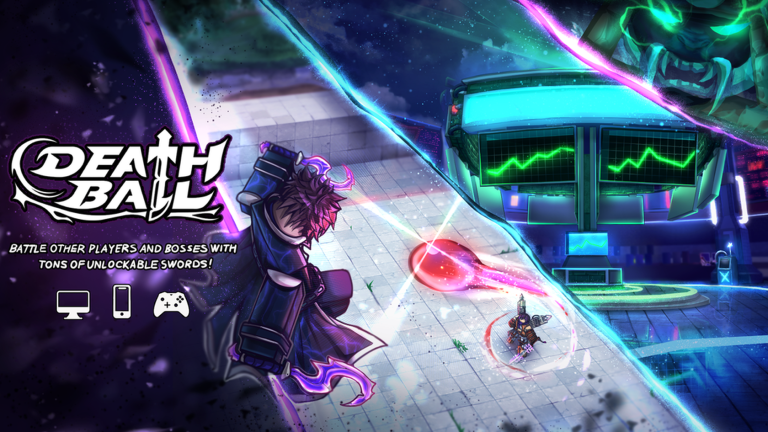
Death Ball is a competitive PvP experience where you deflect a deadly ball, unlock Champions, and climb the ranked ladder. The tutorial teaches basic parry timing and ability use. Until you complete it, the Codes button stays locked or hidden inside the gear menu.
If you skipped ahead on an alt account, run through the remaining tutorial prompts in the lobby. You do not need a high rank — only completion.
Copy codes exactly
Every Death Ball promo is case-sensitive. CUSTOMIZE works; customize does not. BIZARRE grants 50 Cosmic Orbs — a single lowercase letter voids the whole string. Copy from the Codes Hub table and paste directly; do not retype long codes like COLOSSALDRILL or RANKEDUPDSOON by hand.
Remove trailing spaces. Mobile keyboards often add a hidden space after paste — delete it before submit.
Step-by-step redemption
Desktop and laptop
- Launch Death Ball on Roblox for Windows or Mac.
- Wait until you load into the lobby, not mid-match.
- Click the gear icon (Settings / Menu) — usually top-left or top-right depending on UI version.
- Select Codes from the dropdown or sidebar list.
- Click the text field, paste your code, and press Redeem or Submit.
- Read the confirmation popup. Gems, Crystals, or Cosmic Orbs apply instantly to your account balance.
Console (Xbox / PlayStation)
- Open Death Ball from your Roblox console app.
- Enter the lobby after the tutorial.
- Open the menu / gear button with your controller bumper or D-pad — highlight the gear icon and confirm.
- Navigate to Codes, press A / X to enter the field.
- Use the on-screen keyboard or mobile companion to paste long strings. Console typing is error-prone; paste when possible.
- Confirm Redeem and wait for the reward banner.
Mobile and tablet
- Open the Roblox app and join Death Ball.
- Tap the gear / menu icon once the lobby loads.
- Tap Codes — on small phones it may sit under a More submenu.
- Long-press in the input box, paste, and verify no extra space at the end.
- Tap Redeem. A success toast should appear within a second.
- Open your currency display to confirm Gems, Crystals, or Cosmic Orbs increased.
Understanding rewards
Codes on the active list grant fixed amounts:
- Gem codes like SUGAR (25,000), ASCEND (50,000), and DBTIME (15,000) boost Champion shopping power.
- Crystal codes like CANDY, FREEGEMS, and GALAXY each grant 500 Crystals — redeem all of them in one session for thousands total.
- BIZARRE is the standout Cosmic Orb code at 50 Orbs.
Rewards never go to inventory items you must claim separately — they hit your currency wallets immediately.
Troubleshooting failed redemption
”Invalid Code” or “Code expired”
The string is wrong, expired, or already used. Compare character-by-character with the Codes Hub. Then search Expired Codes — classics like RELEASE, 100mil, and BUGFIXES still appear on outdated blogs.
Codes menu missing
Tutorial incomplete, or you are inside a match. Return to lobby and finish onboarding. Rejoin the experience if the menu bug persists.
Redeem button greyed out
Empty field, or invisible whitespace in the input. Clear the box and paste again.
Success message but no currency
Rare UI desync. Rejoin Death Ball or restart Roblox. Currency is server-side — if redemption truly succeeded, your balance updates after reload.
Already redeemed
Each code works once per account. Alts cannot reclaim the same promo on your main — and alt farming breaks Roblox rules.
Best practices
- Redeem newest codes first — PETAL, VELVET, MULTIUNBOX, ROYAL, MAJESTIC, then teaser strings like RANKEDUPDSOON and SEASON8.
- Batch-redeem all 500 Crystal codes in one sitting so you do not forget half the list.
- After major updates, recheck the Codes Hub before buying Champions with paid Robux.
- Screenshot your balance before and after large codes like ASCEND (50,000 Gems) if you want personal proof.
Related pages
- Codes Hub — full active code table with rewards
- Expired Codes — dead promos you should stop trying
Frequently Asked Questions
Quick answers to the most common Death Ball questions.
Do I need to finish the Death Ball tutorial to redeem codes?
Yes. Small World Games locks the Codes menu until onboarding is complete. Finish the tutorial in the lobby, then open the gear menu and select Codes.
Are Death Ball codes case-sensitive?
Yes. Type or paste codes exactly as published — CUSTOMIZE works, customize does not. Always copy from a trusted list to avoid typos.
Where is the Codes button on mobile?
Tap the gear or menu icon in the Death Ball lobby, then tap Codes. On some layouts it appears under a More submenu — not inside live matches.
What does BIZARRE give compared to Gem codes?
BIZARRE grants 50 Cosmic Orbs, a rare currency type. Most other active codes give Gems or 500 Crystals instead.
I redeemed a code but my Gems did not change — what now?
Rejoin Death Ball or restart Roblox to refresh UI. If balance still looks wrong, verify you had not already redeemed that code on this account.